Migrating optimizer statistics from Prod to Test database's

On Production Server...

Create stats table using...

SQL> EXEC DBMS_STATS.CREATE_STAT_TABLE(ownname=> 'PROD_SCHEMA', stattab=>'STATS_08JAN2016');

Export statistics using..

SQL>  EXEC DBMS_STATS.EXPORT_SCHEMA_STATS(ownname => 'PROD_SCHEMA',stattab => 'STATS_08JAN2016');

Export the stats table using...

 expdp dumpfile=DPUMP_DIR1:Prod_statistics.dmp logfile=DPUMP_DIR1:Prod_statistics.log tables=PROD_SCHEMA.STATS_08JAN2016


scp the dump file to the destination server...

Now on the destionation server...

Import the table into the destination database using...

impdp dumpfile=DPUMP_DIR1:Prod_statistics.dmp  logfile=DPUMP_DIR1:Prod_stats_into_Test.log remap_schema=PROD_SCHEMA:TEST_SCHEMA full=y table_exists_action=truncate

Update the statistics table to reflect the target schema...this step is required if the target schema is different from source(prod) schema

UPDATE TEST_SCHEMA.STATS_08JAN2016 SET C5='TEST_SCHEMA' WHERE C5='PROD_SCHEMA';

Import the schema level statistics using...


EXEC DBMS_STATS.IMPORT_SCHEMA_STATS(ownname => 'TEST_SCHEMA', stattab => 'STATS_08JAN2016');


ASM online migration of LUN's between Storage Arrays

ASM online disk migration from one disk array to another with zero downtime to database's and the dependent applications..sounds interesting...this was one of the tasks I was involved in recently for multiple Red Hat Linux clusters with ASM disk groups setup with "external" redundancy...

Actually this is a fairly straight forward activity if all the prerequisites are met  and with some planning in place.

Here's the high-level work flow...

Multiple ASM Disk Groups with External redundancy
RHEL OS
  • List disks using /etc/init.d/oracleasm listdisks
  • Identify the multipath device to ASM device mapping using
            /sbin/blkid |grep oracleasm|grep mapp

  • Add the new LUN's at the OS level and ensure multipath has been setup for the new LUN's
  • Create whole partitions on the new LUN's using fdisk or parted
  • To discover the partitions, used below multipath commands..to flush and discover on all remaining nodes
             multipath –F
             multipath -v3 >&-

  • create new ASK disks as below
/etc/init.d/oracleasm createdisk  /dev/mapper/
create a  simple shell script and execute the commands to avoid any typos as you'll have multiple disks to add, use a distinct to distinguish the new array disks from the current array.


  •  Run /etc/init.d/oracleasm scandisks/listdisks on all the nodes to ensure the new ASM disks are identified
  • Change the rebalance power limit of the disk group using ...
         ALTER DISKGROUP DATA REBALANCE POWER 6;
  • Add the new ASM disks to the disk group using asmca as grid OS user
  • Wait for the rebalance operation to complete..
         SELECT * FROM GV$ASM_OPERATION;

The above query should return no rows...when the rebalance operation is complete...

  • Once the rebalance is complete, drop the old set of disks using asmca as grid OS user


  • Wait for the rebalance operation to complete..
         SELECT * FROM GV$ASM_OPERATION;

  • The above query should return no rows...when the rebalance operation is complete...
  • Verify the status of disks using...
     select disk_number,mount_status,header_status,mode_status,state,redundancy,failgroup,path        
               from v$asm_disk order by path;

  • If the disks HEADER status is 'FORMER', proceed with deletedisk command as below...
     /etc/init.d/oracleasm deletedisk ASM_DATA01

  • Advise the sysadmin to tidy up the multipath configuration.
  • Advise the storage admin to unpresent the LUN's from the host


Notes on MS SQL to Oracle data migration using SQL Developer

A requirement came up to migrate some MS SQL data from SharePoint into Oracle and most of this data has some html formatting tags and more than 4000 characters requiring CLOB columns on Oracle end.

First option is to try SQL Developer and as the source was given as a 'access' database file, tried to connect to access and noticed there's NO access connection tab in SQL Developer 4.1.1 as it uses jdk8 and there's no jdbc-odbc bridge in jdk8 as per this post https://community.oracle.com/thread/3642078 so had to launch SQL Developer 4.0.2 which has "Access" tab.

Now the other issue is connecting to Access gives "Data source name not found and no default driver specified" error which is due to missing 64bit MS Access driver as I was using 64 bit OS. So uninstalled my office suite and installed the Access driver using http://www.microsoft.com/en-us/download/details.aspx?displaylang=en&id=13255 and now I can connect to Access. However the source data is supposed to be extracted from a query from some of the access base tables and for some reason the access connection shows the queries as 'views'.

So decided to switch to MS SQL connection (which was the original source for this access)
and connected SQL Developer to MS SQL using jTDS driver and now I can connect to MS SQL.
And from there on, it's easier than expected to load the data using 'copy to oracle' option for the MS SQL tables and it nicely converted the nvarchar data into CLOB columns.
However one small glitch is it failed to load the data from a MS SQL table that has ":" in it's name, but strangely it didn't throw any errors simply says load completed with neither table nor data present in Oracle. Also for the tables it worked ok, Oracle table name got trimmed to 30 characters limit on Oracle end.

So renamed the tables on MS SQL end without ":" character and now the load succeeded and table record count and max(length(column_name)) returned the same value on both ends...a pleasing result at the end!


Setting up SSH Tunneling connection in SQL Developer 4.1.1


Was looking at using SQL Developer to setup SSH tunneling for the hosts that I do not have port 1521 open but have ssh access to and thatjeffsmith.com explains it quite well showing how to add it directly in the connection tab itself.

However with the version that I'm using being 4.1.1.19, couldn't find the 'ssh' tab in the 'advanced' section of the add new connection window so spent sometime working out 'how to'...and here's how I've done it...hope that's helpful for someone out there looking for some notes on this...

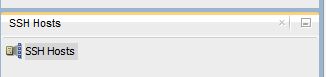
Click on View --->SSH menu item...and that opens the below work area under connections list...


Right click on SSH Hosts and click on "New SSH Host"


and fill in the host and credentials and local port forwarding details as below...
Host in the top section is the remote host (either hostname or ip address) and you can use private key here if that's what you use to connect...However one thing to note here is that the private key should be in openssh format and I had mine in putty format...so used puttykeygen to convert it into openssh format as below...

    Open your private key in PuTTYGen
    Top menu “Conversions”->”Export OpenSSH key”.
    Save the new OpenSSH key when prompted.


Once above details are in place, save the above connection by clicking 'ok' and then right-click and 'connect' to establish the tunnel.

Now setup the database connection as below...good thing with this is the SSH-HOST connection we have setup earlier can be shared by a number of database connections, say if you have many database's on the host or if you want to setup separate connections for different database users etc.


RMAN Duplicate reports datafile xx not processed because file is offline

Was performing a database clone from RAC to RAC and came across this interesting issue…
RMAN duplicate has done the control file restore and started reporting below messages…and finally failed to open the database...

database mounted
datafile 73 not processed because file is offline
datafile 6 not processed because file belongs to tablespace with one or more offline immediate datafile (X_STATS_INDX)
datafile 10 not processed because file belongs to tablespace with one or more offline immediate datafile (X_STATS_INDX)
datafile 12 not processed because file belongs to tablespace with one or more offline immediate datafile (X_STATS_INDX)

We were doing a clone as of 40 days back but all the backups are available inline on TAPE which we verified via list backup command earlier and confirmed by storage admin so a bit confusing why it's failing here…

In the end we queried the creation timestamp of the initial datafile that's reported as 'offline' and it was added on the day we were restoring unto…however our refresh timestamp happened to be between the datafile addition timestamp and the nighty backup, a very infrequent occurrence.

We were refreshing this db unto 10th June 2015 2300 hrs and datafile was added around 11:10AM…backup happened after 2300 hrs…


SELECT FILE#,NAME,TO_CHAR(CREATION_TIME,'DD-MON-YY HH24:MI:SS') FROM V$DATAFILE WHERE FILE#=73;


When we changed the timestamp to the next day 2am, everything worked perfectly fine.

It appears to be a bug with duplicate option in 11.2.0.3 and fixed in 11.2.0.4.
However this will not be an issue if a traditional restore/recovery method is used.


CATALOG A BACKUPPIECE WITH 'SBT_TAPE'

Had another requirement today to catalog a backuppiece with my SBT_TAPE and couldn't find syntax for it readily available anywhere...

Here's the syntax that worked...

RMAN>  CONFIGURE CHANNEL DEVICE TYPE 'SBT_TAPE' PARMS 'ENV=(NSR_SERVER=,NSR_GROUP=,NSR_DATA_VOLUME_POOL=,NSR_CLIENT=)';

set sbt_tape as your default device type...this can be removed later if required...

RMAN>  CONFIGURE DEFAULT DEVICE TYPE TO 'SBT_TAPE';

RMAN> CATALOG DEVICE TYPE 'SBT_TAPE' BACKUPPIECE '0rns43vq_1_1';


The PARMS could be different for different media vendors but the syntax is similar...

RMAN-20207: UNTIL TIME or RECOVERY WINDOW is before RESETLOGS time


Wish you all a very Happy 2015!

OK...here's the requirement...I've a full 'online' backup of a RAC database and need to recover from it multiple times and open the database with 'alter database open resetlogs;' statement.

It's like my gold backup which I want to restore whenever I want...

taken a backup...
rman target / nocatalog

run {
allocate channel c1 device type disk;
allocate channel c2 device type disk;
backup as compressed backupset incremental level 0 database TAG FULL_BACKUP_05JAN2015
plus archivelog TAG ARCH_BACKUP_05JAN2015;
backup spfile;
backup current controlfile;
}

I get these tags above populated from variables but hard-coding them to keep it simple...

Perform 1st restore and recovery as below...

startup nomount;
set DBID xxxxxxx;
restore controlfile from 'c-xx-xxxx'; (this is from the last autobackup)
alter database mount;
list incarnation of database;
restore and recover database as below…
using tape channels as the backup has already been removed from the disks and only available on SBT_TAPE channel.

run {
allocate channel t1 type 'SBT_TAPE';
send 'NSR_ENV=(NSR_SERVER=xxxx,NSR_GROUP=xxxx,NSR_DATA_VOLUME_POOL=xxxxx,NSR_CLIENT=xxxxxx,NSR_SAVESET_BROWSE="xxxxx",NSR_SAVESET_RETENTION="xxxxx")';
SET UNTIL TIME "TO_DATE('06-JAN-2015 11:15:00','DD-MON-YYYY HH24:MI:SS')"; (I've all the archive logs upto and after this point on disk and tape)
restore database;
recover database;
release channel t1;
}

You can allocate multiple channels depending on your media/tape system configuration.

This worked perfectly fine…and I've opened the database as below…

rman> alter database open resetlogs;

Come next day …I've the requirement to restore from the same backup so I run the same process again…and this time it fails...

RMAN-00571: ===========================================================
RMAN-00569: =============== ERROR MESSAGE STACK FOLLOWS ===============
RMAN-00571: ===========================================================
RMAN-03002: failure of restore command at 01/09/2015 14:26:50
RMAN-20207: UNTIL TIME or RECOVERY WINDOW is before RESETLOGS time

Now it failed with the above errors...

The cause of the issue is the implicit crosscheck and cataloging being done by rman during restore and recover phase…
….
….
….
executing command: SET until clause

Starting restore at 09-JAN-2015 14:26:45
Starting implicit crosscheck backup at 09-JAN-2015 14:26:45
Crosschecked 16 objects
Finished implicit crosscheck backup at 09-JAN-2015 14:26:47

Starting implicit crosscheck copy at 09-JAN-2015 14:26:47
Finished implicit crosscheck copy at 09-JAN-2015 14:26:47

searching for all files in the recovery area
cataloging files...
cataloging done

List of Cataloged Files
=======================
File Name: +XXX/XXXXXX/AUTOBACKUP/2015_01_08/s_868464001.6080.868464003
File Name: +XXX/XXXXXX/ARCHIVELOG/2015_01_09/thread_1_seq_8.1623.868492825
File Name: +XXX/XXXXXX/ARCHIVELOG/2015_01_09/thread_2_seq_5.1489.868492827
File Name: +XXX/XXXXXX/ARCHIVELOG/2015_01_09/thread_1_seq_9.5858.868528837
File Name: +XXX/XXXXXX/ARCHIVELOG/2015_01_09/thread_1_seq_10.5893.868532601
File Name: +XXX/XXXXXX/ARCHIVELOG/2015_01_09/thread_2_seq_6.5852.868536051
File Name: +XXX/XXXXXX/ARCHIVELOG/2015_01_09/thread_1_seq_11.5800.868536649
File Name: +XXX/XXXXXX/ARCHIVELOG/2015_01_08/thread_2_seq_1.6077.868463987
File Name: +XXX/XXXXXX/ARCHIVELOG/2015_01_08/thread_1_seq_6110.536.868462613
File Name: +XXX/XXXXXX/ARCHIVELOG/2015_01_08/thread_1_seq_1.6085.868465953
File Name: +XXX/XXXXXX/ARCHIVELOG/2015_01_08/thread_1_seq_2.6141.868465963
File Name: +XXX/XXXXXX/ARCHIVELOG/2015_01_08/thread_1_seq_6111.6443.868462613
File Name: +XXX/XXXXXX/ARCHIVELOG/2015_01_08/thread_1_seq_3.6625.868465973
File Name: +XXX/XXXXXX/ARCHIVELOG/2015_01_08/thread_2_seq_2.529.868465975
File Name: +XXX/XXXXXX/ARCHIVELOG/2015_01_08/thread_1_seq_4.528.868465985
File Name: +XXX/XXXXXX/ARCHIVELOG/2015_01_08/thread_1_seq_5.527.868465995
File Name: +XXX/XXXXXX/ARCHIVELOG/2015_01_08/thread_1_seq_6.1982.868466007
File Name: +XXX/XXXXXX/ARCHIVELOG/2015_01_08/thread_2_seq_3.5702.868466011
File Name: +XXX/XXXXXX/ARCHIVELOG/2015_01_08/thread_1_seq_7.531.868466023
File Name: +XXX/XXXXXX/ARCHIVELOG/2015_01_08/thread_2_seq_4.1877.868485729

released channel: t1
released channel: t2
released channel: t3
released channel: t4
RMAN-00571: ===========================================================
RMAN-00569: =============== ERROR MESSAGE STACK FOLLOWS ===============
RMAN-00571: ===========================================================
RMAN-03002: failure of restore command at 01/09/2015 14:26:50
RMAN-20207: UNTIL TIME or RECOVERY WINDOW is before RESETLOGS time

RMAN> **end-of-file**


As you can see above, RMAN is cataloging the archive logs generated  post-resetlogs and getting the new incarnation information…

The way I’ve resolved the issue is as follows…

First delete the archive logs which are generated after the last resetlogs operation…this timestamp is after our recovery point...

So that’s basically the highlighted files above…

Try running the same process again…this time, rman couldn't catalog these new archive logs…and it worked perfectly fine.

This is especially useful if you need to restore and recover from a gold backup multiple times and don’t want to worry about multiple incarnations of the database…and try resetting them etc.


EM12c agent deployment fails with agent port passed by user is busy...

EM12c agent deployment fails with "ERROR: Agent Configuration Failed SEVERE: Agent port passed by user is busy and cannot proceed with the configuration. Pass a free port and retry the configuration.”
netstat -an doesnt show the port being in use and rerun of the deployment fails consistently with the same error.

In the end, it's the hostname mismatch issue where the hostname in '/etc/hosts' file is different to what's configured in '/etc/sysconfig/network'.

Once that's fixed by updating the entry in the network file, agent deployment succeeded.

This is another error that's not straight forward to resolve as nowhere as it gives an indication that there's a hostname conflict.

rconfig fails with ORA-25152: TEMPFILE cannot be dropped at this time

Was doing a single instance db to RAC conversion on a 11.2.0.3 cluster using rconfig and the process fails with ORA-25152 during "Setting TEMP tablespace" step.
Verified if the temp segments are in use but no processes are accessing.
The fix that finally worked is 

  • drop the tempfile using 'alter database tempfile 'xxx/temp01.dbf' drop including datafiles;
  • run rconfig and it worked fine this time
  • add tempfile back using 'alter tablespace temp add tempfile size 4000M;
Did notice a few bug reports on Metalink however there's no workaround available so the above should do the trick if you happen run into this issue.


Connecting to RAC 11gR2 SCAN using SQLDeveloper

Here are a few options to connect to a 11gR2 RAC Database (using SCAN address) using SQLDeveloper, couldn't find this info handy anywhere so thought of posting it which could be of some help to developers/DBA's out there.


11gR2 RAC Connection to SCAN Hostname using JDBC Option


11gR2 RAC Connection to SCAN Hostname using SERVICE Name Option


11gR2 RAC Connection to SCAN Hostname using TNSNAMES Option


11gR2 Uninstall aka Deinstall procedure

Uninstall procedure has changed in 11gR2 and it's not the traditional OUI based uninstall anymore.

Oracle binaries include 'deinstall' utility which is by default available under $ORACLE_HOME/deinstall directory.
However it's recommended to download the latest one from OTN website which comes as a separate utility.

That's available under the 'see all' page of  http://bit.ly/bxzTd3 for your platform.


Once downloaded, it can be unzipped at a temporary location and can be used as below.

There's a checkonly option which checks the status of the Oracle software home configuration and recommended to run prior to actually removing the software.
Of course, it's always recommended to backup the binaries and inventory anyway.

./deinstall   -home   /u00/app/oracle/product/11.2.0/dbhome_1    -checkonly


Once the above runs successfully, run the command without the -checkonly option

./deinstall   -home   /u00/app/oracle/product/11.2.0/dbhome_1

and it cleanly removes the software and inventory entries which allows you perform another clean installation again!

However one issue here....the deinstall utility prompts for the listener (you cant avoid that) and it can stop the listener process and delete the listener.ora even if the listener is running from a different ORACLE_HOME and this can be an issue in a multi home environment.

The workaround for this at the moment is to "unset TNS_ADMIN" as per Metalink Note.1067622.1.


dblink and case sensitive logon


Was trying to setup a simple db link between a 10gR2(10.2.0.3) db and a 11gR2 db and the select query fails with 


SQL> select sysdate from dual@linka;
select sysdate from dual@linka
                         *
ERROR at line 1:
ORA-01017: invalid username/password; logon denied
ORA-02063: preceding line from LINKA

The credentials work fine on the target 11g db from sqlplus, so no typo issue.

A quick fix that worked is to enclose the db link password in "double quotes".
So the solution is to 
  • drop the db link
  • recreate using 'create database link LINKA connect to username identified by "xxxx" using 'connect string';
and the select query worked just fine.

A quick search on metalink revealed (note:473716.1) this behaviour is due to the case sensitive logon feature enabled on the 11g side using SEC_CASE_SENSITIVE_LOGON parameter set to TRUE.


Oracle Gateways setup for MS SQL using Microsoft drivers for Linux


This post outlines the procedure involved in setting up a database link between Oracle 11gR2 and MS SQL Server using Oracle's Database Gateways for ODBC (DG4ODBC) using the freeware odbc drivers available from Microsoft.
The software components involved are:
·         unixODBC Driver Manager 2.3.0 (http://www.unixodbc.org)
·         Microsoft SQL Server ODBC Driver 1.0 for Linux
·         Oracle 11gR2 DG4ODBC (shipped with Oracle Server)
·         MS SQL Server 2005 (or later versions 2008, 2012)

1.     Install the unixODBC driver manager and ODBC driver as per the instructions below as 'root' user.

2.     Setup /etc/odbc.ini as below (as root user)

[mssql]
Description=Microsoft SQL Server ODBC Driver V1.0 for Linux
Driver=/opt/microsoft/sqlncli/lib64/libsqlncli-11.0.so.1790.0
Threading=1
UsageCount=1
AutoTranslate=No
#Had to use the above AutoTranslate setting to avoid a single quote in MS SQL records being #allocated an extra byte at Oracle end.
Database=MSSQL_Database_Name
UserName=MSSQL_DB_User
Password=xxxxxx
Port=1433
Server=MSSQLServer
Trace=Yes
TraceFile=/u00/odbctrace.log

3.     Setup Oracle listener.ora ($ORACLE_HOME/network/admin/listener.ora) as below

*************************
# listener.ora Network Configuration File: xxxx/network/admin/listener.ora
# Generated by Oracle configuration tools.
SID_LIST_LISTENER =
(SID_LIST =
(SID_DESC =
(SID_NAME=DG4ODBC)
(ORACLE_HOME=Oracle_Home_Path)
(ENV="LD_LIBRARY_PATH=/usr/lib64:Oracle_Home_Path/lib")
(PROGRAM=dg4odbc)
)
)
LISTENER =
(DESCRIPTION_LIST =
(DESCRIPTION =
(ADDRESS = (PROTOCOL = TCP)(HOST = Linux_Host)(PORT = 1521))
)
)

ADR_BASE_LISTENER = /u00/app/oracle
*************************

4.     Add the below entry to your tnsnames.ora (Oracle_Home_Path/network/admin/tnsnames.ora) as below


# tnsnames.ora Network Configuration File: Oracle_Home_Path/network/admin/tnsnames.ora
# Generated by Oracle configuration tools.
DG4ODBC =
(DESCRIPTION=
(ADDRESS=(PROTOCOL=tcp)(HOST=Linux_Host)(PORT=1521))
(CONNECT_DATA=(SID=DG4ODBC))
(HS=OK)
)

5.     Setup HS Gateways as below (Oracle_Home_Path/hs/admin/initDG4ODBC.ora)


# This is a sample agent init file that contains the HS parameters that are
# needed for the Database Gateway for ODBC
#
# HS init parameters
#
HS_FDS_CONNECT_INFO = mssql
HS_FDS_TRACE_LEVEL = on
HS_FDS_SHAREABLE_NAME = /usr/lib64/libodbc.so
#
# ODBC specific environment variables
#
set ODBCINI=/etc/odbc.ini
#
# Environment variables required for the non-Oracle system
#
#set <envvar>=<value>

6.     Setup a database link as below

CREATE PUBLIC DATABASE LINK linkname
CONNECT TO "MSSQL_DB_User" IDENTIFIED BY "xxx" USING 'DG4ODBC';

7.     Add the below env variables to the .profile or .bash_profile of Oracle user

export LD_LIBRARY_PATH=/opt/microsoft/sqlncli/lib64:Oracle_Home_Path/lib
export ODBCINI=/etc/odbc.ini
export NLS_LANG=Language_Territory.Characterset


DG4ODBC setup on Oracle 11g Linux to access Microsoft SQL Server database tables


Had a requirement recently to configure HS gateways connectivity between an Oracle 11g on Linux 64bit and MS SQL 2005 database and here's the simple configuration that worked for me. 

As always, it's better to start testing this type of configuration with basic settings first and then move onto other more complex stuff later.

·                    Install the third party ODBC drivers on the Linux Oracle 11g Server, in my case, I've    used datadirect ODBC drivers CONNECT64 FOR ODBC RELEASE 7.1.0 ON UNIX/LINUX

Installation is self-explanatory as you uncompress the tar file and run the script.
·                    Setup the odbc.ini file with the below basic settings

[ODBC Data Sources]
DB2 Wire Protocol=DataDirect 7.1 DB2 Wire Protocol
Informix Wire Protocol=DataDirect 7.1 Informix Wire Protocol
Oracle Wire Protocol=DataDirect 7.1 Oracle Wire Protocol
Sybase Wire Protocol=DataDirect 7.1 Sybase Wire Protocol
Teradata=DataDirect 7.1 Teradata
SQL Server Wire Protocol=DataDirect 7.1 SQL Server Wire Protocol
MySQL Wire Protocol=DataDirect 7.1 MySQL Wire Protocol
PostgreSQL Wire Protocol=DataDirect 7.1 PostgreSQL Wire Protocol
Greenplum Wire Protocol=DataDirect 7.1 Greenplum Wire Protocol
Salesforce=DataDirect 7.1 Salesforce
Sybase IQ Wire Protocol=DataDirect 7.1 Sybase IQ Wire Protocol
Progress OpenEdge Wire Protocol=DataDirect 7.1 Progress OpenEdge Wire Protocol
Apache Hive Wire Protocol=DataDirect 7.1 Apache Hive Wire Protocol

[ODBC]
IANAAppCodePage=4
InstallDir=/opt/Progress/DataDirect/Connect64_for_ODBC_71
Trace=1
TraceFile=/tmp/odbctrace.out
TraceDll=/opt/Progress/DataDirect/Connect64_for_ODBC_71/lib/ddtrc27.so

[mssql]
Driver=/opt/Progress/DataDirect/Connect64_for_ODBC_71/lib/ddsqls27.so
Description=DataDirect 7.1 SQL Server Wire Protocol
AnsiNPW=1
Database=sqldatabase
EnableQuotedIdentifiers=1
HostName=Linux Hostname
LogonID=mssqluser
Password=mssqlpassword
PortNumber=1433

·         Update the below settings into the .bash_profile or .profile
LD_LIBRARY_PATH=/opt/Progress/DataDirect/Connect64_for_ODBC_71/lib:$ORACLE_HOME/lib
ODBCINI=/opt/Progress/DataDirect/Connect64_for_ODBC_71/odbc.ini

At this point, you can test the odbc connectivity as user 'oracle' as below:

/opt/Progress/DataDirect/Connect64_for_ODBC_71/samples/demo/demoodbc -uid -pwd  mssql
  • Update the listener.ora with the below settings
*********************
SID_LIST_LISTENER = 
   (SID_LIST = 
      (SID_DESC = 
       (SID_NAME=DG4ODBC) 
      (ORACLE_HOME=ORACLE_HOME_PATH) 
      (ENV="LD_LIBRARY_PATH=/opt/Progress/DataDirect/Connect64_for_ODBC_71/lib:ORACLE_HOME_PATH/lib"
      (PROGRAM=dg4odbc
      ) 
   ) 
LISTENER =
  (DESCRIPTION_LIST =
    (DESCRIPTION =
      (ADDRESS = (PROTOCOL = TCP)(HOST = )(PORT = 1521))
    )
  )

ADR_BASE_LISTENER = /u00/app/oracle
*********************

  • Add the below entry to the tnsnames.ora as below
*********************
DG4ODBC = 
   (DESCRIPTION= 
      (ADDRESS=(PROTOCOL=tcp)(HOST=Linux Hostname)(PORT=1521)) 
      (CONNECT_DATA=(SID=DG4ODBC)) 
      (HS=OK) 
   )
*********************

  • Setup the init.ora of the Gateway, there is a sample file under $ORACLE_HOME/hs/admin directory.
***********************
# This is a sample agent init file that contains the HS parameters that are
# needed for the Database Gateway for ODBC
#
# HS init parameters
#
HS_FDS_CONNECT_INFO = mssql
HS_FDS_TRACE_LEVEL = on
HS_FDS_SHAREABLE_NAME = /opt/Progress/DataDirect/Connect64_for_ODBC_71/lib/libodbc.so
#
# ODBC specific environment variables
#
set ODBCINI=/opt/Progress/DataDirect/Connect64_for_ODBC_71/odbc.ini
#
# Environment variables required for the non-Oracle system
#
#set =
***********************
  • Configure the Oracle database link
create database link connect to “sqluser"  identified by "pwd" using 'DG4ODBC';

  • Restart the listener
Now you're ready to access MS SQL from your Oracle instance , say as below

select count(*) from sqltable@dblink;
or select count(*) from sqldatabase.sqltable@dblink etc.


PSU 11.2.0.3.2


Was applying PSU April 2012 on a 11.2.0.3 server recently, so that's 11.2.0.3.2 patch on a Linux x86_64bit server running 11.2.0.3.1.
Didn't realize there wasn't enough space on Oracle home file system, ran the opatch prereq check as below;

opatch prereq CheckConflictAgainstOHWithDetail -ph ./ came back OK, succeeded with the below message.
Prereq "checkConflictAgainstOHWithDetail" passed.

Then went on to apply the patch using opatch apply, it failed due to disk space errors after running for a few min's.
Stack Description: java.lang.RuntimeException: /usr/bin/ar: /.../.../.../...//lib/libgeneric11.a: No space left on device

Oops...released some space and then tried to rerun opatch again...

This time around it failed to apply a few archives as below
Archive not applied /.../.../.../.../13696216/13696216/files/lib/libserver11.a/ksfd.o to /u00/app/oracle/product/11.2.0/dbhome_1/lib/libserver11.a... '' 
Archive not applied /.../.../.../.../13696216/13696216/files/rdbms/lib/libperfsrv11.a/qcodfdef_PERF.o to /u00/app/oracle/product/11.2.0/dbhome_1/rdbms/lib/libperfsrv11.a... '' 
Archive not applied /.../.../.../.../13696216/13696216/files/lib/libordsdo11.a/mdopp.o to /u00/app/oracle/product/11.2.0/dbhome_1/lib/libordsdo11.a... ''

Not looking good, then it finally ended with similar messages as below...
    OUI-67124:ApplySession failed in system modification phase... 'Verification of patch failed: Error reading files to verify "/.../13696216/13696216/files/lib/libordsdo11.a/mdopp.o" == "/.../.../.../.../.patch_storage/verify/archive/lib/libordsdo11.a/mdopp.o".  Can't verify.'
[Jun 28, 2012 7:21:33 PM]    3) OUI-67124:
                             NApply restored the home. Please check your ORACLE_HOME to make sure:
                               - files are restored properly.
                               - binaries are re-linked correctly.
                             (use restore.[sh,bat] and make.txt (Unix only) as a reference. They are located under
                             "/.../.../.../...//.patch_storage/NApply/2012-06-28_19-17-23PM"

Then tried to use the restore.sh as suggested, that didn’t work either. This is a worry now as the patch status is in a state of limbo.

Finally, restored those ../rdbms/lib/libserver11.a etc (4 in total) files from the backup, ran the opatch again and it succeeded.

Challenge is not over yet, tried to bring up the database for running the post psu sql scripts and now it fails with the below errors....

SQL> startup
ORACLE instance started.

Total System Global Area 1603411968 bytes
Fixed Size                  2228784 bytes
Variable Size             402656720 bytes
Database Buffers         1191182336 bytes
Redo Buffers                7344128 bytes
ORA-00201: control file version 11.2.0.0.0 incompatible with ORACLE version
10.2.0.3.0
ORA-00202: control file: '/.../.../.../control01.ctl'

This test env was upgraded recently to 11g and the compatible was still at 10.2.0.3.
So did a shutdown abort, removed the compatible entry from the pfile and restarted the instance, everything looks OK finally.

This db had PSU 11.2.0.3.1 applied at the time of 11g upgrade and worked OK so it seems 11.2.0.3.2 doesn’t work with compatible at 10.2.0.3, which is another finding from this exercise.

This will be an issue if you’ve just upgraded to 11.2.0.3 from 10.2 and tried to apply this PSU with keeping the compatible at 10.2 for having that ability to downgrade.

I think Oracle should also include some space checks into the prereq section as that will save a lot of time if you happen to have a nearly full Oracle home directory and do not realise it before running opatch.